REPORTS, delivered straight to your inbox
v2.45.0 - (14 April 2026)
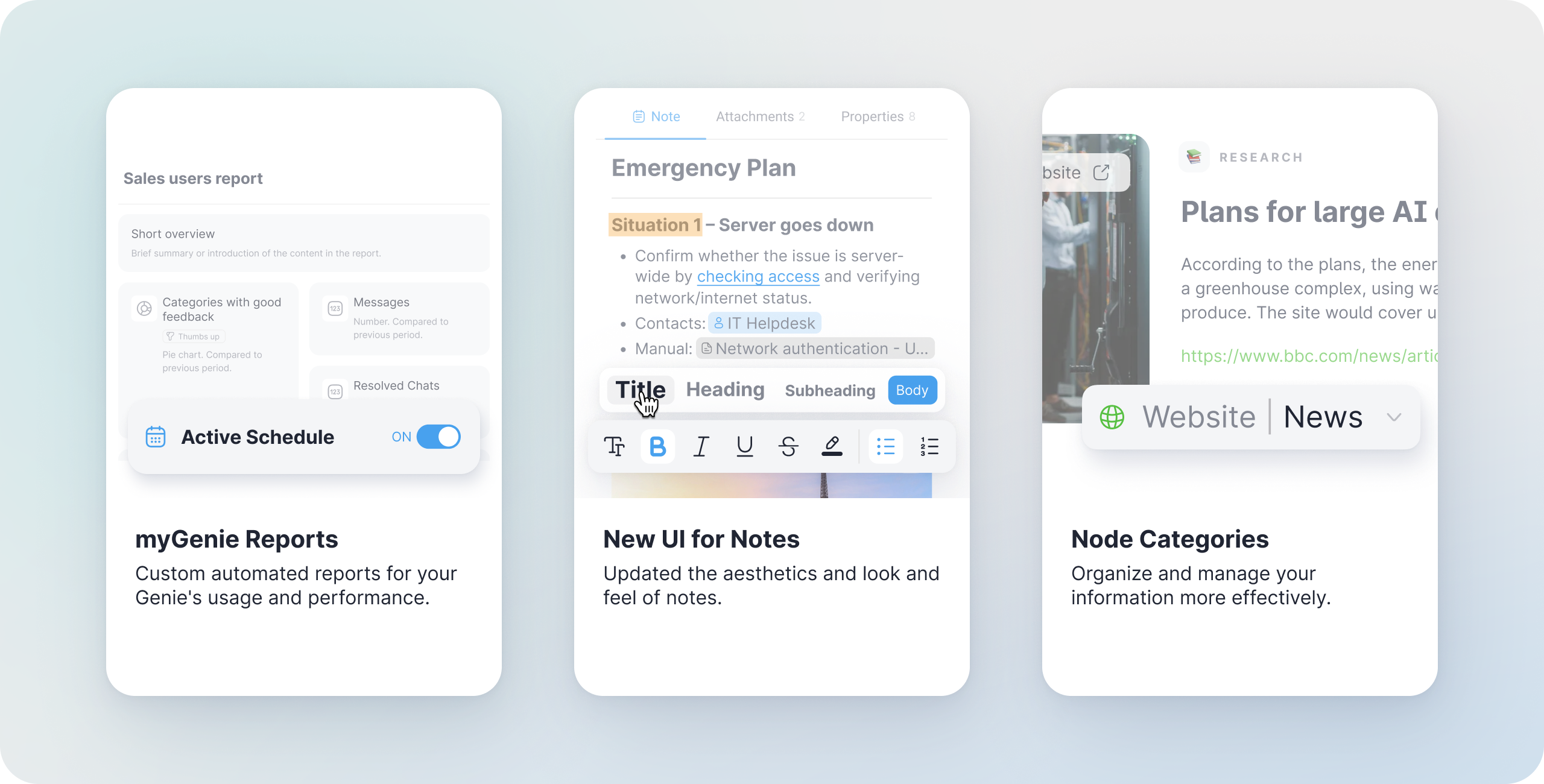
The wait is over. Today, we launched one of our most requested features: Reports.
Until now, understanding how your Genies were performing meant diving into the Statistics Dashboard. Now, we’re bringing those insights directly to you. Reports don’t just show you numbers; they tell the story of your data’s impact and help you bridge the gap between "having data" and "gaining intelligence".
It’s a huge leap forward in how you measure, manage and scale your business intelligence.
In addition to Reports, we’ve also introduced Node Categories for powerful AI information management. Keep reading to find out more – this one’s worth it!
1. The Game-Changer: Automated AI Reports
Whether you’re managing an internal team knowledge base or a customer-facing Genie, Reports give you a clear, high-level overview of performance without you ever having to open the app.
They combine quantitative data (how many questions) with qualitative insights (what are people really asking?).
-
Quantitative meets Qualitative: While the dashboard shows quick stats, Reports explain the quality of the conversations and the trends in what people are actually asking.
- For example, spotting that 30% of your team is suddenly asking specifically about "New Travel Policies" allows you to update that specific document before the questions even reach HR.
-
Frequency of your choice: Set it and forget it. Choose to receive your reports weekly, monthly or on a custom schedule that fits your workflow and your specific project cycles.
- Targeted Distribution: Create specific reports for different projects or campaigns and choose exactly who should receive them – whether it’s a monthly summary for your manager or a weekly update for your project team.
- Stay Informed, Effortlessly: Keep your stakeholders updated on user trends and AI accuracy via email. It’s the perfect way to demonstrate the ROI of your Knowledge Base to the rest of the company without manual effort.
How it works: Build your insights, your way
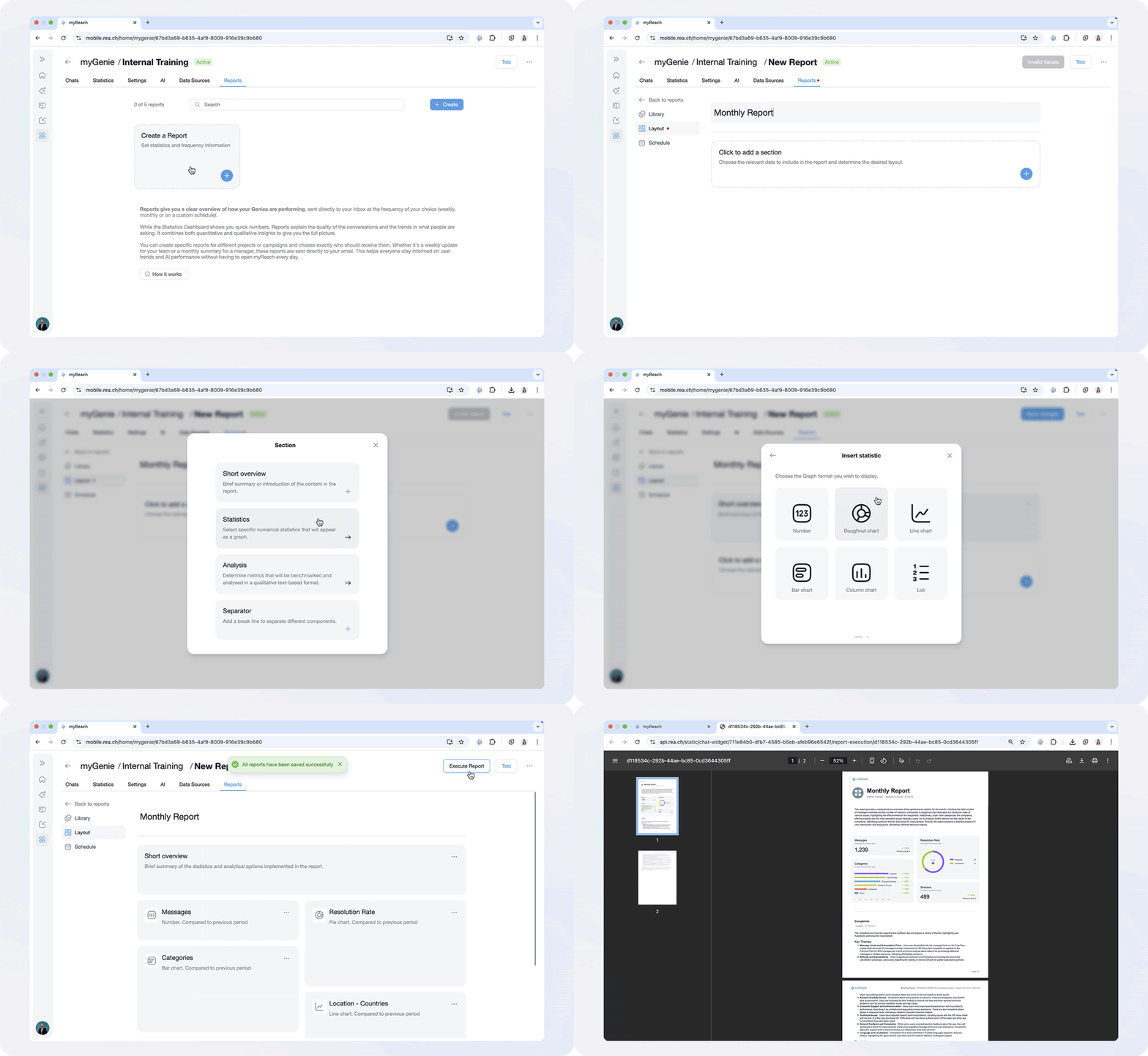
Creating a report is as simple as building with blocks. You're no longer restricted to a static dashboard; you can now design the exact narrative you need to see.
- Define your Layout: Choose from modular sections including Short Overviews, Numerical Statistics (Numbers, Bar Charts, Line Graphs, etc), and Deep Qualitative AI Analysis.
- Select your Metrics: Benchmarking is built-in. Compare your current data against previous periods to see growth and resolution trends at a glance.
- Schedule & Distribute: Choose your date range (Yesterday, This Week, This Month, Last Week, Last Month, or Custom) and decide who gets the email. You can generate a one-off PDF or set a recurring automation.
Endless possibilities for every team
Because myReach is fully customisable, you can create multiple reports for different objectives:
- For Team Leads (Internal): Build an "Internal Knowledge Audit" that tracks which company policies are being queried the most. Use the Analysis block to identify where employees are still confused, allowing you to refine your documentation before the next team meeting.
- For Sales & Marketing (External): Create a "Campaign Performance" report to track interest in a new launch. By monitoring the Categories of questions coming through your website Genie, you can see if leads are focused on pricing, features, or specific products.
- Tip for e-commerce: Use Reports to detect market demand. If you notice a spike in customers asking specifically for a "red hoodie" that isn't in your catalog, you’ve just found the star of your next product drop.
- For Executives (Strategic): Set up a "Monthly ROI Summary" sent directly to your Manager. Use a Doughnut Chart to highlight your Resolution Rate, proving exactly how much manual support time the AI has saved the company this month. Give it a try
2. A powerful addition: Node Categories
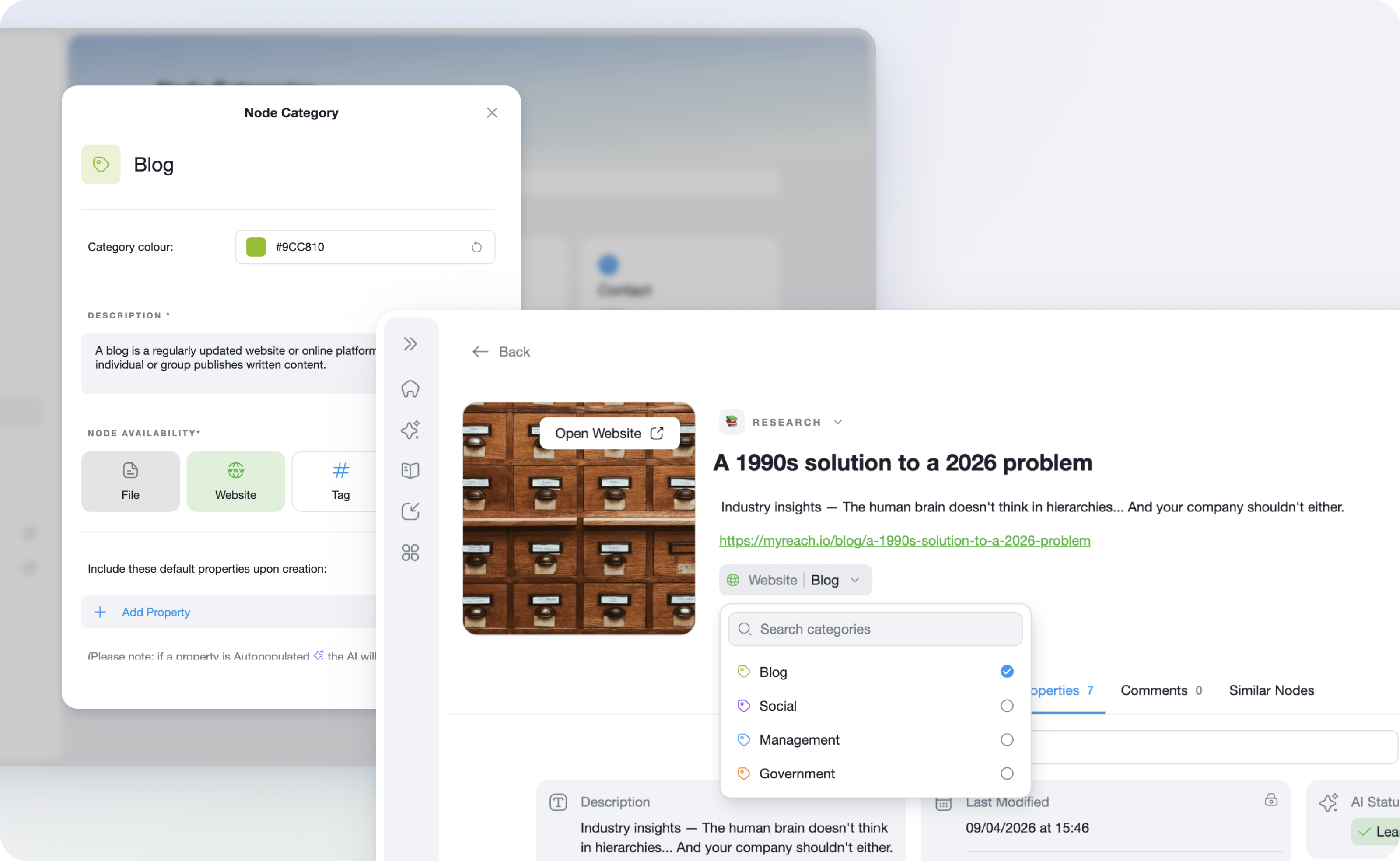
Node Categories are designed to help you organise and manage your information more effectively. Think of them as labels or tags that you can assign to different nodes, making it easier to find and group similar pieces of information.
With Node Categories, you can group similar notes, files, or tasks together based on Categories that make sense for you. For instance, you might have Categories like “Marketing Ideas”, “Client Projects”, or “To-Do Lists”. This makes it easy for you to find the information you need quickly.
Default Categories
To get you started, we have created Default Categories that are automatically available in the app:
- Each type of information comes with a Default Category named after it, making it simple to start categorising right away.
- These Default Categories help ensure that you immediately have a structured way to organise your nodes without having to create everything from scratch.
Custom Node Categories
We understand that every user has unique needs, so we’ve made Node Categories fully customisable!
- Add Descriptions: When creating a Category, you can provide a description that explains what it represents for you. For example, a Category called "Meeting Notes" could have the description "Notes from team meetings at Nexus Corp. to track discussions and decisions".
- Automatic Assignment: When you create a new note or document, our smart AI will automatically assign it to the correct Category based on the description you provided, saving you time and keeping everything organised effortlessly.
- Add Properties: You can enrich your Categories by adding specific Properties, such as "Client Name", "Project Deadline", or "Budget". These Properties will be automatically added to every note created under that Category, giving you more context at a glance.
3. Advanced Agent Actions
We have been working hard behind the scenes to make your AI Assistant even more powerful. With the introduction of Agentic Behaviour, your AI Assistant can now go beyond simply answering questions — it can take proactive actions and power conversations to a whole new level.
What Does This Mean for You?
With Advanced Agent Actions, your AI Assistant is no longer just a passive assistant. It can now:
- Take Initiative: Your Genie can proactively engage with users, anticipating their needs and acting on them before they even ask.
- Power Smarter Conversations: With enhanced agentic behaviour, your Genie can handle more complex interactions, making every conversation more meaningful and productive.
4. Refining the Experience
While Reports take center stage, we’ve also fine-tuned the platform to keep your experience seamless:
- Smarter Integrations Page: We’ve overhauled the structure of the Integrations page, making it more intuitive to connect and manage your external data sources like SharePoint or Google Drive.
- Refined Navigation: Updated options menus in the Workspace details and Sidebar now offer faster access to your most-used tools.
- Performance & Polish: As always, we’ve cleared out a round of bugs and applied general fine-tunes to ensure maximum stability.